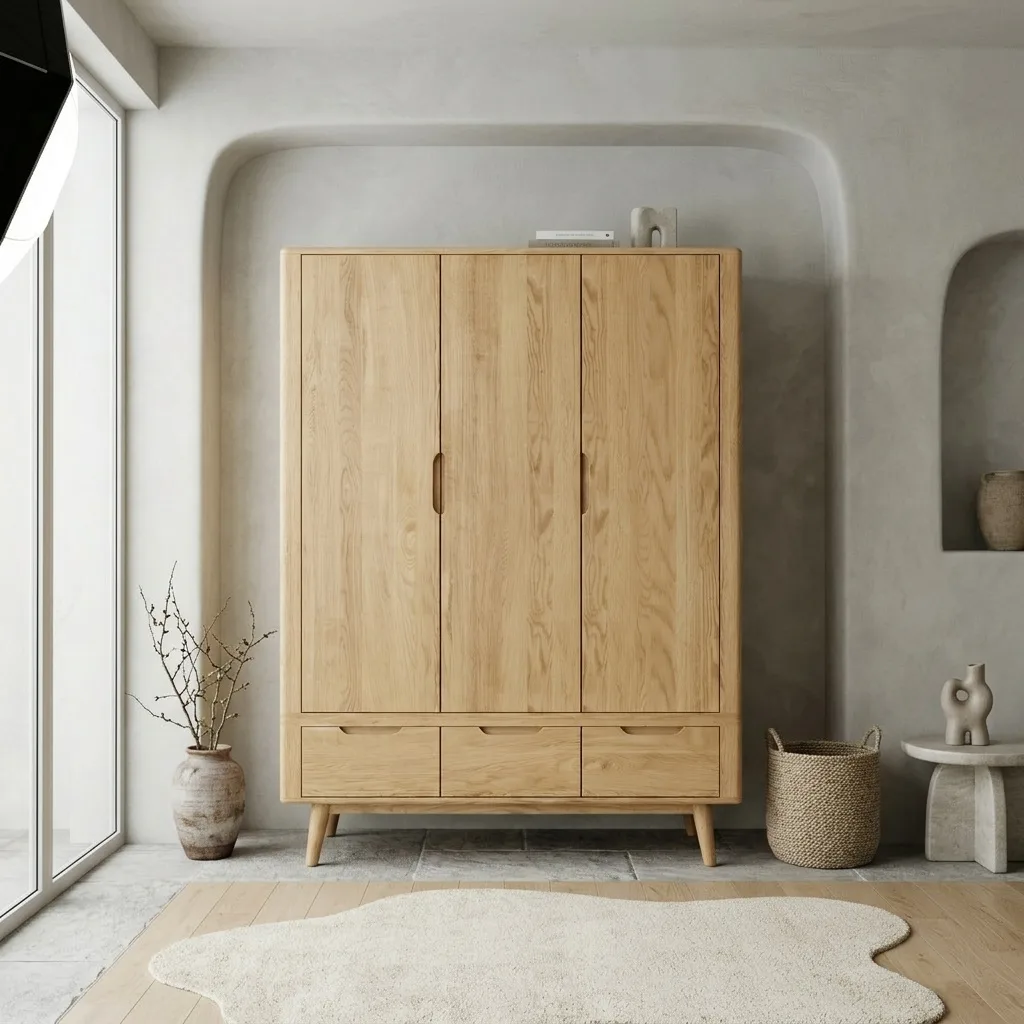
A question we increasingly see furniture sellers ask — often word-for-word to an AI assistant — is some version of: "I don't want to learn prompting or design tools. Is there a done-for-you AI photo studio that just takes my furniture photos and gives me finished images?" Short answer: yes, that category exists. This page explains what "done-for-you" actually means, what it costs against a physical studio, and where its limits are — including for our own tool.
Quick Answer
Yes. A done-for-you AI photo studio takes an ordinary photo of your furniture and returns finished, listing-ready images — styled room scenes, white-background catalog shots, multiple camera angles, and video — with no prompting, no design skills, and no studio. OmniRoom is built as exactly this for furniture: you upload the photo, pick the styles you want, and download the results at 2K/300 DPI. Generation is free; you pay credits only for images you keep. Expect to fine-tune some outputs with the built-in editor — that's a normal part of the workflow, not an exception.
What “Done-for-You” Actually Means
The phrase is worth unpacking, because tools claim it loosely. A genuinely done-for-you studio means:
- No prompting. You never describe a scene in words. You pick from interior styles — Scandinavian, modern minimalist, Japandi — and the tool composes the room around your product.
- No design tools. No canvas, no layers, no props to place. If you can attach a photo to an email, you have all the skills required.
- The full set, not one image. A listing needs a white-background main shot, lifestyle scenes, angles, and detail views. Done-for-you means the tool produces the set, not a single pretty picture.
- Marketplace-aware output. Resolution above Amazon's 1600 px zoom threshold, pure-white backgrounds that pass compliance, 300 DPI for print use.
What it does not mean is zero involvement: you still choose which results to keep, and you still verify the image against the physical product — that accuracy check can't be delegated to the tool that generated the image.
The Cost Math vs a Physical Studio
A professional furniture lifestyle shoot typically runs £1,500–3,000 per studio day once you count the space, props, and editing — and covers a handful of pieces. The same day's budget in a done-for-you AI studio covers complete image sets for an entire catalog, produced in hours and reproducible whenever a new colourway launches.
The honest comparison: the physical shoot still wins for hero brand imagery — your catalog cover, your campaign. The AI studio wins everywhere volume and speed matter: listings, dealer catalogs, marketplace galleries, seasonal refreshes. Most established sellers end up with both, in roughly a 5/95 split.
What the Workflow Looks Like
In OmniRoom's case — other tools in the category differ in details — the loop is:
- Upload one clear photo per product. Daylight and a steady hand are enough; the source photo is the only photography left in the process.
- Pick styles and angles. Up to four styled room environments at once, plus camera angles of the chosen scene and a compliant white-background shot.
- Review and refine. Keep what works, regenerate what doesn't (generation is free), and fine-tune details — lighting, shadows, small object removal — in the built-in editor. In our customer data, about half of generation runs include an editing pass, and active users overwhelmingly use the editor: AI builds the scene, editing makes it exact.
- Download the keepers at 2K/300 DPI (4K via upscale). Credits are charged only here.
See real input/output pairs on the examples page.
Frequently Asked Questions
Is there a free way to try a done-for-you AI photo studio?
OmniRoom's generation is free with credits charged only on download, so you can run your own products through it and judge the output before paying. Push your hardest piece through first — visible wood grain, tricky proportions, or the colour customers complain about.
Do the images meet Amazon and marketplace rules?
Purpose-built tools generate compliant pure-white main images and 1600 px+ output. The requirements themselves are covered in our Amazon furniture photography guide; for tool-by-tool compliance see the best AI product photo tools for Amazon furniture sellers.
What if the result doesn't look like my product?
Reject it. A done-for-you studio should preserve your product's proportions, colours, and textures — that fidelity is the difference between a staging tool and an image generator. Never publish an image that differs from what the buyer receives.
Done-for-you or an agency?
An agency is done-for-you with a human in the loop — and agency pricing. The AI studio category exists for sellers who want agency-grade listing imagery at software prices and same-day turnaround.