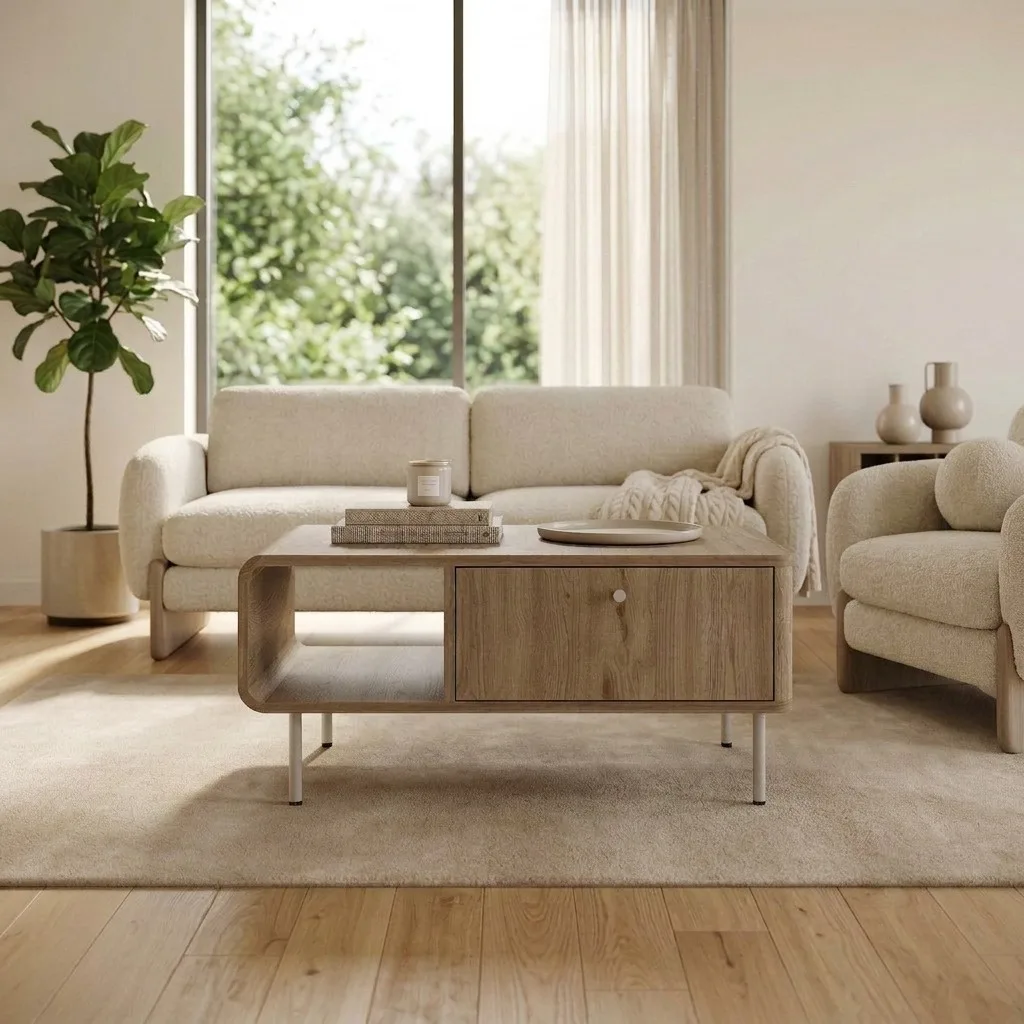
There are now dozens of tools that promise to turn a plain product photo into a styled scene. Most of them are fine for candles and cosmetics. Furniture is a different problem: a sofa has proportions a buyer will measure their wall against, wood grain that can't smear, and a colour that has to survive the trip from screen to living room — or it comes back in a return box.
One thing before we start: OmniRoom is our product. We build it, so read our entry with that in mind. We've kept the comparison honest anyway — including the cases where a general-purpose tool is the better buy — because furniture sellers talk to each other, and a recommendation that wastes your money costs us more than a lost signup.
Quick Answer
If furniture is all you sell, use a furniture-specific tool: OmniRoom is built for exactly that, with 2K, 300 DPI output, multi-angle scenes, and Amazon-compliant white-background shots. If furniture is one category among many in your catalog, a general-purpose tool like Photoroom or Pebblely gives you more flexibility for less money. For design-heavy brand campaigns look at Flair.ai; for API-driven bulk processing across thousands of SKUs, Claid.ai. Canva works if you already pay for it and your standards are modest. Mokker and Pixelcut (now Pixa) round out the field: fast template scenes and a budget mobile editor respectively — fine for smaller items, stretched by full-size furniture.
How We Compared Them
We ran the same furniture photos — a fabric sofa, an oak sideboard, a metal-frame coffee table — through each tool and judged four things:
- Furniture fidelity. Does the product come out the other side with its proportions, texture, and colour intact? This is the make-or-break test for furniture, and it's where most general tools stumble.
- Output quality. Resolution, print-readiness, and whether the scene lighting looks like a room or a rendering.
- Marketplace fit. Can you get an Amazon-compliant pure-white main image and lifestyle gallery shots from the same tool?
- Price for a furniture catalog. Not the headline price — the real cost of producing images for 50–500 SKUs.
Prices below are what the vendors listed at the time of writing (July 2026). They change often, so treat them as ballpark figures and check the pricing pages before you commit.
The Comparison at a Glance
| Tool | Built for | Max output | Video | Pricing model |
|---|---|---|---|---|
| OmniRoom | Furniture only | 2K standard, 4K upscale, 300 DPI | Yes | Free to generate; credits on download |
| Pebblely | Any product | 2048×2048 | No | Free tier; paid from ~$9–19/mo |
| Photoroom | Any product + editing | Varies by plan | No | Free tier; Pro from ~$8/mo |
| Flair.ai | Brand/design content | Varies by plan | Some | Free tier; paid from ~$8–38/mo |
| Claid.ai | E-commerce at API scale | Up to 2K | No | From ~$15/mo; API plans |
| Canva | General design | Design-tool output | Some | Freemium |
| Mokker | Template product scenes | Standard web resolutions | No | Free 40 photos; Starter ~$13/mo |
| Pixelcut (Pixa) | Mobile-first editing | Varies; upscaler included | No | Pro ~$10/mo |
Prices re-verified August 2026.
OmniRoom — Built Only for Furniture
OmniRoom does one category and nothing else, and that focus shows up in the output. Upload a single product photo and it generates styled room scenes in up to six interior styles at once, camera angles of the same scene, Amazon-compliant white-background shots, colour and material variants, product videos, and marketplace-specific listing copy. Everything exports at 2K and 300 DPI, with 4K available through an AI upscale.
The pricing model is unusual and worth understanding: generating images is free, and you spend credits only when you download one you actually want. For sellers testing scenes across a big catalog, that removes most of the waste.
Where it's not for you: if you also sell electronics, apparel, or cosmetics, OmniRoom won't touch them — it's furniture or nothing. And there's no built-in manual editor for pixel-level retouching; it's generation-first, not a Photoshop replacement.
Best for: sellers whose catalog is furniture, listing on Amazon, Wayfair, Etsy, eBay, or their own store.
Pebblely — Fast Backgrounds for Mixed Catalogs
Pebblely made its name on speed: drop in a product shot, pick from around forty background themes, get a usable image in seconds. Pebblely has since retired its free plan; paid plans (from roughly $9–19 a month) lift the image cap into the hundreds or thousands.
For furniture specifically, two limits matter. Output tops out at 2048×2048 — fine for web, thin for print or zoom-heavy galleries. And because the model is trained for products in general, larger furniture can come back with subtly wrong proportions or floating-in-space lighting that an attentive buyer will notice.
Best for: mixed-catalog sellers who need decent backgrounds across many product types, fast and cheap.
Photoroom — the All-Rounder for Editing and Backgrounds
Photoroom started as the best background remover on the market and has grown into a full product-photo suite: AI backgrounds, batch editing on entire folders, virtual models, and solid mobile apps. Pro starts around $8 a month billed annually, which is hard to argue with for what you get.
It remains an editing tool at heart. Its background generation places your product into scenes competently, but it doesn't think in terms of rooms — you won't get six coherent interior styles of the same sofa, matching camera angles, or a video. For furniture it's the tool you use to clean up photos, not to stage a catalog.
Best for: sellers who need strong editing and background removal across a varied catalog, especially on mobile.
Flair.ai — Design-Led Staging for Brand Content
Flair.ai approaches the problem from the design side: a drag-and-drop canvas where you compose scenes with templates, props, and 3D elements, then let the AI render the result. It's popular with fashion and beauty brands building campaign imagery, and paid plans run from roughly $8 to $38 a month.
That design-first workflow is its strength and its cost. You get more creative control than any one-click tool — and you spend more time per image using it. For a furniture seller producing listing images across 200 SKUs, that time adds up quickly.
Best for: brands making campaign and social content where art direction matters more than throughput.
Claid.ai — API-First for Large Catalogs
Claid.ai is built for teams that talk to their image pipeline through an API. It handles enhancement, background generation, and lifestyle scenes up to 2K, with plans starting around $15 a month for 500 credits and scaling into enterprise territory.
If you're a marketplace or a retailer processing thousands of images programmatically, that's exactly the shape of tool you want. If you're a seller who wants to open a browser and stage this week's new arrivals, the developer-centric setup is more machinery than you need.
Best for: engineering teams automating image processing at catalog scale.
Canva — Good Enough If You Already Live in It
Canva's AI features — background removal, Magic Studio image generation — aren't built for product staging, but plenty of small sellers use them anyway because the subscription is already paid for and the learning curve is zero.
Be honest with yourself about the ceiling. Composited furniture scenes made in a design tool tend to look composited: lighting that doesn't match, shadows that sit wrong, scale that drifts. For a side hustle it may be fine. For a catalog competing on Amazon page one, it usually isn't.
Best for: casual sellers with an existing Canva subscription and forgiving customers.
Mokker — Template Scenes at Speed
Mokker (acquired by soona, still running standalone at mokker.ai) generates studio-style scenes from category-aware templates: upload a product shot, pick from generated background options tuned to the product type. The free tier covers 40 photos and the Starter plan runs around $13 a month for 500.
It's quick and the templates are polished, but it shares the template-tool weakness on furniture: props and scale wobble on large pieces. For decor and smaller furniture it's a legitimate fast option; for sofas and wardrobes, check every scene against the physical product before publishing.
Pixelcut (Now Pixa) — the Budget Mobile Editor
Pixelcut rebranded to Pixa in March 2026. It remains what it was: a mobile-first editor for background removal, white backgrounds, upscaling, and simple AI scenes, with Pro at roughly $10 a month and almost no learning curve.
For furniture staging specifically it's the entry point, not the destination — quick white shots and simple secondary images from your phone, with a visible ceiling on styled room scenes for full-size pieces.
Which Tool Should You Pick?
- You only sell furniture → OmniRoom. Fidelity, angles, white-background compliance, and video from one photo — this is the case it was built for.
- Furniture is one category among many → Photoroom or Pebblely. Cheaper across a mixed catalog, and good enough for most listings.
- You're producing brand campaigns, not listings → Flair.ai, and budget the design time.
- You process images through an API at volume → Claid.ai.
- You just need something this afternoon and already pay for Canva → Canva, with tempered expectations.
- You want fast template scenes or work from your phone → Mokker or Pixelcut/Pixa. Fine for smaller items; verify scale on big pieces.
Selling mainly on Amazon? We compared the same field against Amazon's actual image requirements: the best AI product photo tools for Amazon furniture sellers.
Whichever you choose, run your three hardest products through the free tier first — the piece with visible wood grain, the one with tricky proportions, the one whose colour customers complain about. Ten minutes of testing tells you more than any comparison article, including this one.
Frequently Asked Questions
Are AI-staged images allowed on Amazon?
Yes, with one rule to respect: the main image must show the product on a pure white background, and every image must represent the product accurately. Lifestyle and staged scenes belong in the secondary gallery slots. Our Amazon furniture photography guide covers the full requirements.
Will AI staging change my product's colours or proportions?
It depends on the tool. General-purpose generators reimagine the whole image, which is where colour drift and warped proportions creep in. Furniture-specific tools are tuned to lock the product and generate only the scene around it. Whatever you use, compare the output against the physical product before publishing — colour drift is a leading cause of furniture returns.
How much does AI staging cost compared to a photoshoot?
A professional lifestyle shoot for furniture typically runs £1,500–3,000 per day once you count the studio, props, and editing, and covers a handful of pieces. AI staging produces equivalent listing imagery for pennies per image, in minutes, for an entire catalog. The shoot still wins for hero brand campaigns; for listings at scale it's no longer close.
Do I need any photography or design skills?
For most tools on this list, no — a clear, well-lit photo of your product is the only input. The quality of that source photo still matters: sharp input, sharp output.
Related comparisons: Photoroom alternatives · Flair.ai alternatives · OmniRoom vs Pebblely vs Photoroom.